Translate your Framer CMS in one click.
Pick a collection and a language. CMS Translator creates a translated copy in your CMS, ready to bind to a /fr/blog page. Instant translation needs no API key. One collection is free, then PRO is €19 once.
In Framer, open the CMS, click + Add Collection, then CMS Translator.
How it works
Translate a CMS collection in three steps.

Open it from the CMS
In the CMS, click + Add Collection and pick CMS Translator. If you open it from somewhere else in Framer, the plugin shows you where to go.

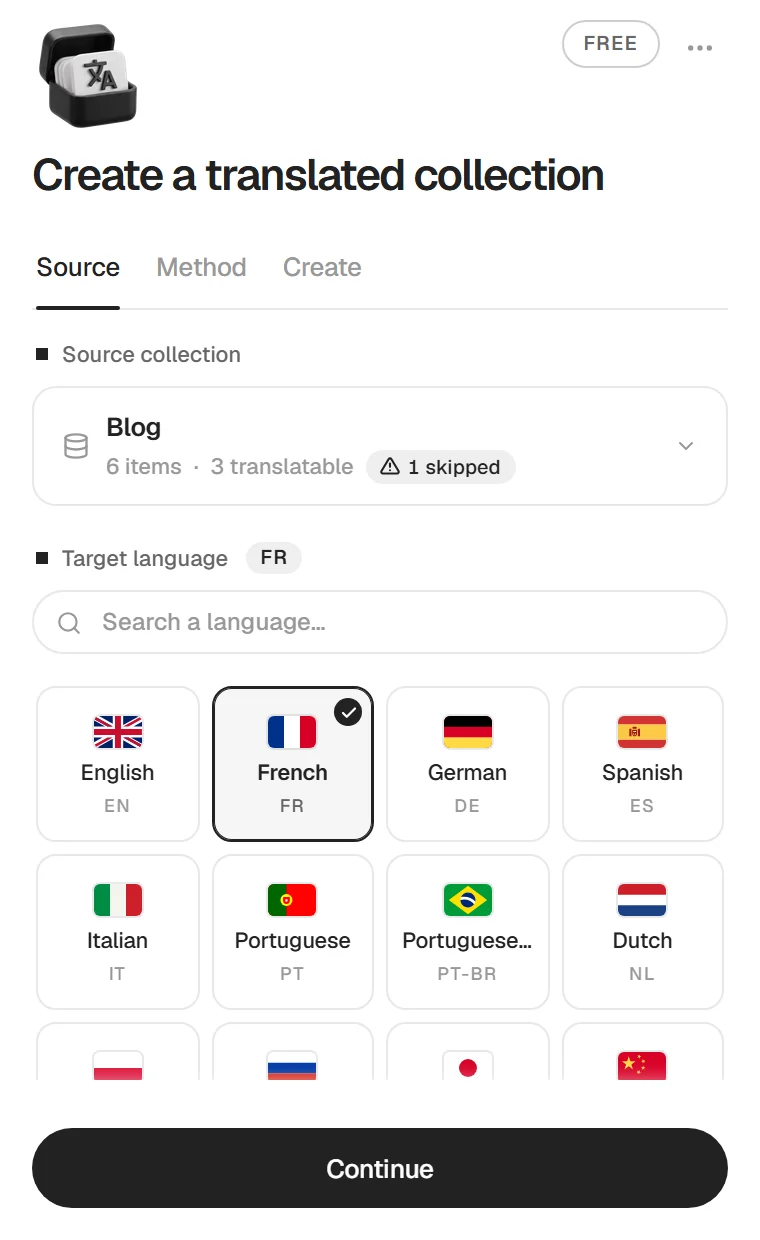
Pick a collection and a language
Choose the collection to translate, your blog or your case studies, and one of the 54 built-in languages. You can also add any other ISO code.

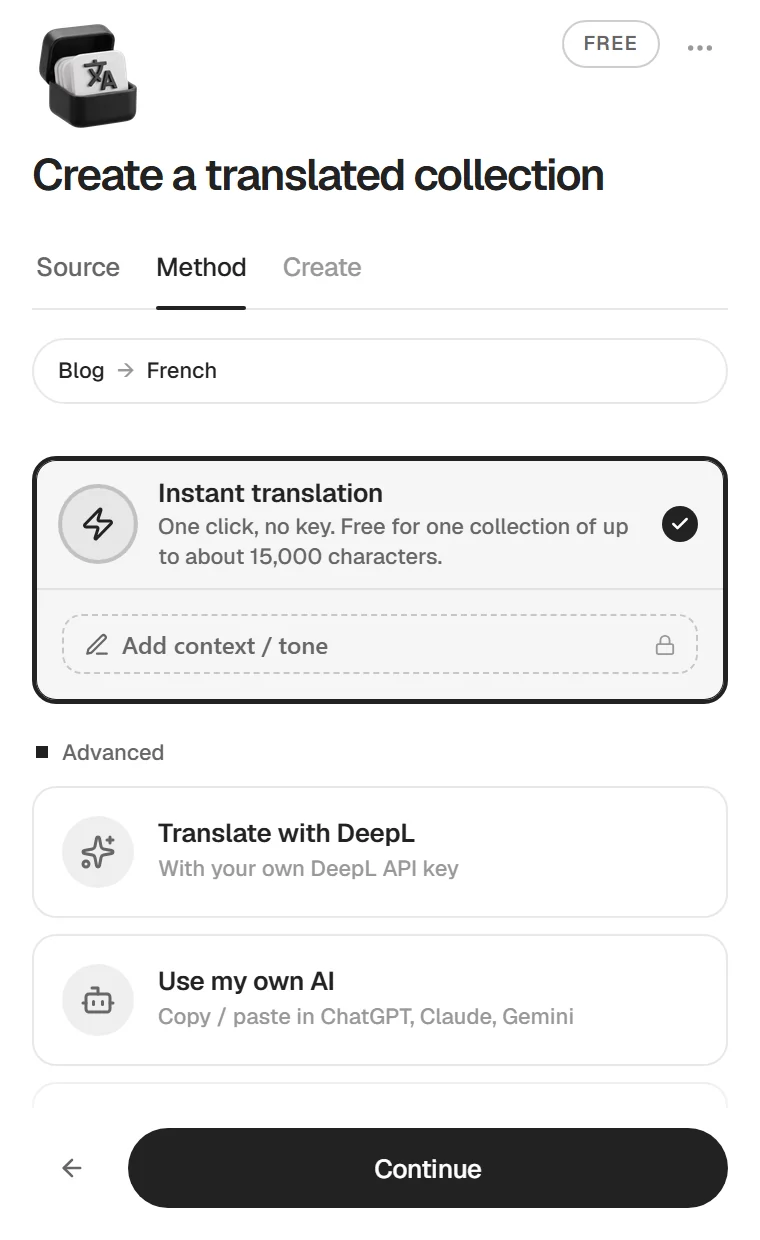
Click Translate
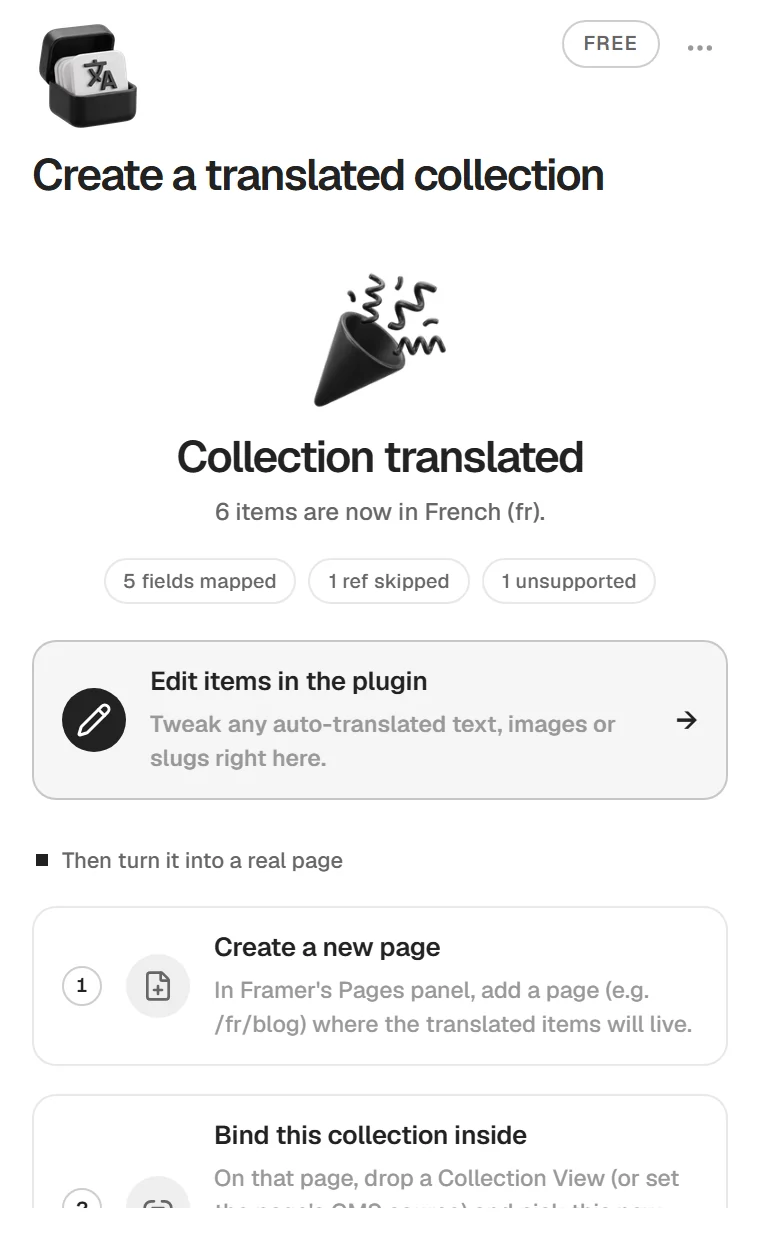
Instant translates the collection without a key. The plugin writes a new collection that you name when Framer creates it, Blog FR for example, and your source stays as it is. You bind it to a /fr/blog page and publish.
Sync
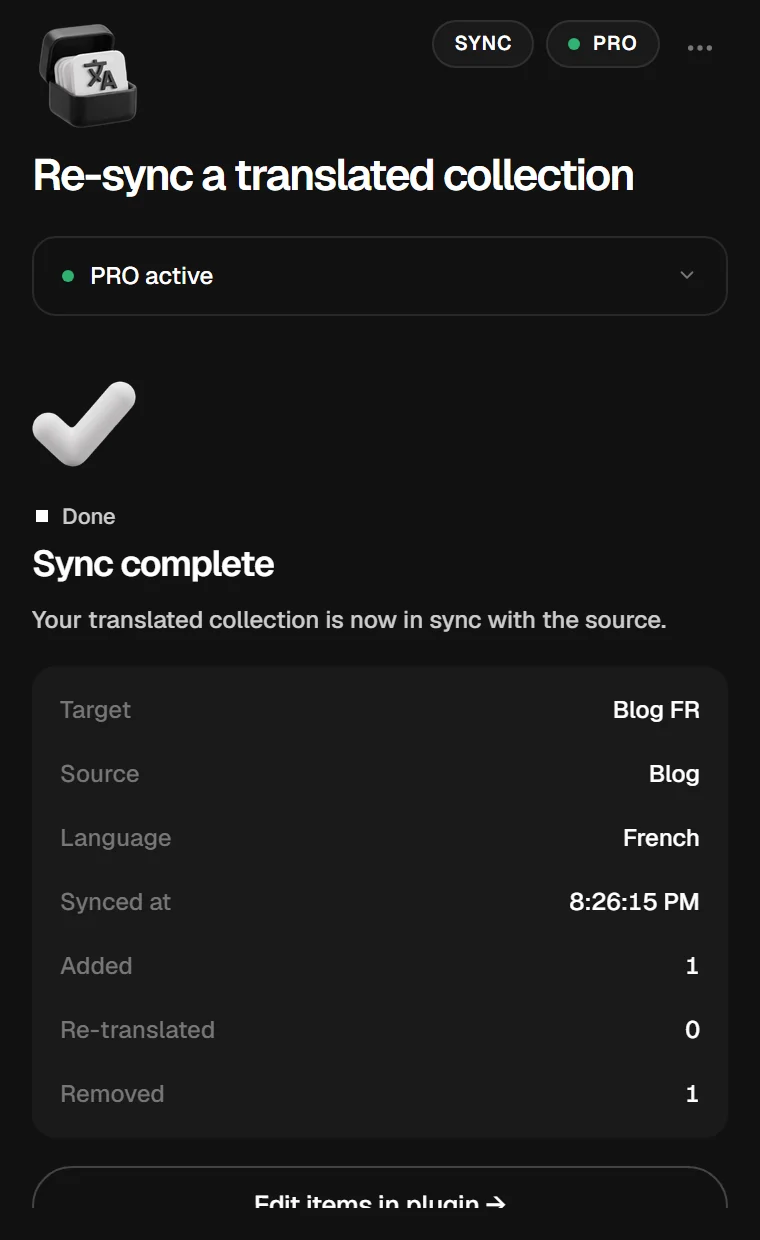
Changed an article? Sync translates it again and keeps your edits.
Before it runs, Sync tells you how many items it will add, re-translate, keep or remove. An article whose source changed is translated again. A field you rewrote by hand in the translated collection stays the way you wrote it, unless you tick Replace my hand edits. When you want a clean start, Re-translate everything does the whole collection again after a confirmation. Sync comes with PRO.
What you get
What the plugin does in your CMS.
Instant translation, nothing to set up
Instant is the default method. The plugin sends the texts to our server, Anthropic's Claude Haiku translates them, and the result goes straight into your collection. You don't need an account or an API key, and the plugin says where the texts go before you click.
A real collection in your CMS
Each language gets its own collection with the same items, inside your project. The plugin only reads your source. You bind the translated collection to a page like any other, on any Framer plan.
Your collection stays safe
The plugin translates first and writes after. If a translation fails halfway, the translated collection stays as it was. Drafts stay drafts, and the alt text of your images is translated with the rest.
Rich text, slugs and every field
Text and rich text are translated with their links and bold kept. Numbers, dates, images, links and options are copied as they are. Galleries are copied with their alt text translated. Untick the fields you want to keep in the source language. Reference fields stay in the source, and the plugin names them before you start.
Your own DeepL key, or your own AI
For a large collection or for tighter wording, use your DeepL API key, or copy the prompt into ChatGPT, Claude or Gemini and paste the answer back. You can also write every item yourself in the plugin's editor.
Glossary and editor, both free
Keep brand names as they are, or set your own translation for each language. The glossary works with Instant, DeepL and copy-paste. In the editor you can fix any text, slug or image before you publish.
Pricing
€19 once, for every collection and language.
Framer Localization charges €20 a month for each language on yearly billing, about €960 a year for 4 languages. CMS Translator PRO is one payment of €19, and it doesn't need Framer's paid locales.

Free
No card. No time limit.
- One collection translated into one language
- Instant included, for a collection up to about 15,000 characters
- No item limit with your DeepL key, copy-paste or manual
- Glossary, field choice, editor and custom languages
- Works on every Framer plan

PRO
Paid once, future updates included.
- Every collection, every language
- Sync, with changed articles translated again and your edits kept
- Re-translate everything when you need to
- Instant on large collections, up to 500,000 characters a month
- Past that, your own DeepL key or copy-paste
- Context and tone for Instant
Translation Pack
Translating your pages too? The pack is €39 for both.
Page Translator translates your static pages, like home, about and landing pages. CMS Translator translates your collections. The pack gives you both PRO licenses for €9 less than buying them one by one.
Page Translator
Paid once
Translate static pages (home, about, landing pages).
Buy Page TranslatorCMS Translator
Paid once
Translate CMS collections (blog, articles, case studies).
Buy CMS TranslatorTranslation Pack
€9 less than both apart
Both plugins, both PRO licenses, one payment.
Get the packQuestions
Before you install.
Do I need Framer's paid locales?
No. CMS Translator writes a separate collection for each language, so it works on every Framer plan without the Localization add-on.
Where is the plugin in Framer?
In the CMS, click + Add Collection, then CMS Translator. The first time, install it from the Framer Marketplace.
What happens to my original collection?
Nothing. The plugin only reads it. The translation goes into a new collection, and each translated item keeps the ID of its source item.
If I edit an article, do I have to translate everything again?
No. With PRO, Sync translates the new items, translates again the ones whose source changed and removes the ones you deleted. A field you rewrote by hand in the translated collection is kept.
Does it work with Page Translator's Language Switcher?
Yes, as long as the slugs stay untranslated, which is the default. The switcher keeps the article's slug when a visitor changes language, so /blog/my-article leads to /fr/blog/my-article.
Where do my texts go with Instant?
To our server, which has them translated by Anthropic's Claude Haiku and keeps no texts, only a character count for the monthly limit. DeepL goes through a relay with your own key. Copy-paste and manual send nothing.
What's free?
One collection in one language, with any method. Instant is included for a collection up to about 15,000 characters. The glossary, the editor and custom languages are free as well.
How is it different from Framer's Auto Translate?
Auto Translate fills Framer's own locales, so it needs the Localization add-on, paid every month for each language. CMS Translator writes regular collections and costs €19 once.
Sister plugin
Translating your static pages too?
Page Translator turns your home, about and landing pages into real pages at /fr or /de, with a language switcher. It uses the same Instant translation and costs €29 once.
Start with one collection, for free.
Install the plugin, translate one collection into one language and look at the result in your own CMS. When you need more, PRO is €19 once.
Install CMS Translator free ↗